
E-Commerce Training Institute Surat | CDMI
Learn E-Commerce Management Course and start your own business.

Reviews
-

-

Creative multimedia institute is very good institute for IT training; I have completed web design course from here and got placed on Company as Web designer. This institute gives me very good career, thank you Creative.
-

Creative multimedia institute gives us flexibility in timing for practical which help professionals / working people a lot to complete their course in time.
-

Creative multimedia institute gives us flexibility in timing for practical which help professionals / working people a lot to complete their course in time.
-

Creative multimedia institute is very famous in Surat and its staff members are very competent and co-operative.Every course and course module have an exam system motivation in Creative multimedia institute.every student has to do good amount practice which makes them perfect in their course.
-

Creative Design & Multimedia Institute provides best training in android. I learn android app development in Creative Design & Multimedia Institute. This is the one of the most best institute for training. Rajni sir is a dynamic trainner for android.
-

CREATIVE DESIGN & MULTIMEDIA INSTITUTE is really a nice Coaching institute. We did only one month Android App Development Course. Our trainer was Mr. Rajni sir. He is a very nice Teacher. He always treat us nicely. His style of delivering new concepts was very nice. Apart from teaching us basics of development of Android , he used to tell
-

CREATIVE DESIGN & MULTIMEDIA INSTITUTE is the best training center in every aspect, either it is about the course fee or about the trainer. I am thankful to the institute for improving my Game Design skills
-

Hello guys I am Jai Kumar from Surat. I done Game Design course from here. After finishing my Game Design course I simply got recruited to a MNC company.
-

I get Game Design admission in CREATIVE DESIGN & MULTIMEDIA INSTITUTE training institute. I would like to say that it is the first-rate institute in Surat. Now, I am working in a private firm in Surat.
Related Courses
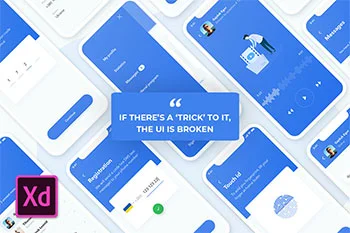
Adobe XD
What is Adobe XD? Why Adobe XD Training essential for the designer? Adobe XD is a vector-based digital design tool for design websites and applications. Adobe XD helps to create and collaborate on everything from prototypes to mockups to full designs. Adobe Experience Design promises an optimized design process. Adobe XD works for individual designers and developers who want to design in a vector format. The program can be used to create wireframes, mockups, and prototypes that can be displayed in live previews on the desktop and on mobile devices. Thus, the whole process from wireframe to prototype takes place within a single application. In this Adobe XD Course works for all types of projects because it is scalable Elements can be easily created and used with the character and layout tools of Adobe XD. Afterward, the individual objects can be exported. You can even build an Adobe xd design system that helps keep everyone on track with a single project. Adobe XD also works for teams that want to create user experiences and collaborate on the process. XD delivers plenty of powerful features to help design, prototype, share, and collaborate on vital user experiences. Learn Adobe XD the Best feature from Creative Design & Multimedia Institute Design Mode Layers XD has a smart layers panel, containing all the essential controls like editing pro, visibility, order as well as some smart zoom in-zoom out features and a nesting structure that helps to avoid all the visual noise and mess inevitably when artboards spread around a bit. Adobe xd essential training it might be clear from the name the dotted line, appearing when extending the Artboard height, indicates the beginning of the scrollable content. If you set scrolling from the right panel to ‘none’ you’ll obviously get none :) Repeat Grid Repeat grid is a favorite and initially the feature that made you pay more attention to XD back in the day. Adobe XD training course not only improves the performance speed significantly when working on blocks of similar type. But allows controlling the content of those blocks, keeping the overall consistency and logic. Loading data from a text file in seconds, replacing visuals, changing hierarchy for multiple elements in one go…all these little things that really make a difference. The way it lets you change paddings and margins within the Grid is as neat and handy as it gets Symbols Similarly to what is already known to Sketch users, you can group and edit your symbols, arranging them among various screens with full control of the original. A foundation for every UI library. Prototyping Model Prototyping mode is mainly about bringing some life and telling a story of the screens designed beforehand. By wiring them together, using simple transitions and the basic set of animations, it doesn’t take long to build the flow and share it straight away with other stakeholders for feedback. Screencasts Once the outcome needs approving or sharing, you can output it into a MOV file or a link that can be accessed via a browser. It is obviously clickable, so all the transitions and interactions made during the Prototyping mode will be active in the browser as well. One of the primary features for users of other Adobe XD is familiarity with the interface. Key features include best adobe XD course from Creative Design & Multimedia Institute: Ability to prototype using linked artboards that you can view on mobile devices as well. Repeat grid that lets you replicate elements such as lists or galleries (this is something that sets this tool apart from many others). Design using voice commands. Create and design symbols for logos and buttons; plus move them around using drag and drop on and between artboards. Keyboard shortcuts for faster workflows, including moving and resizing objects. CSS snippets in design specs are automatically generated, making it easy to copy and paste from XD to live projects. Automatic responsive resizing for objects on artboards. Compatibility with custom plugins for extra functionality. Mobile functionality for sharing and commenting so you can work on the go. Ability to share designs and prototypes with others, including clients, in a secure environment. Integrates with other tools such as Slack or Jira. Adobe is teasing a co-editing feature that will be released soon, giving you the ability to collaborate on projects with others in real-time. Extensive documentation and tutorials to make learning easy.

Accounting WITH Tally Prime
What is accounting? Accounting is the chronicle of monetary exchanges of a business or association. It additionally incorporates the way toward outlining, investigating and announcing these exchanges in fiscal reports. Tally ERP is the most demanding and most used accounting software. Creative Design and Multimedia Institute offer you the best tally accounting training in Surat. It is easy to use software and is designed by simple complex on the day to day activities associated with any business. Tally accounting software provides a solution for inventory management as well as stock management account, invoicing of the bill, purchase order management system, discount given by the owner, stock valuation of product and methodology. It helps in maintaining simple classification of accounts, the general ledger of accounts, receivable and payable of accounts and profit and loss balance sheet. Benefits of Tally Accounting Software Business the importance of maintaining proper books of account. This practice of Tally Accounting that finances for the company is always in order and is correct at all given points of time. The company should always know of its financial positions in the market. To learn Tally account from the best computer class in surat Most of the businesses were earlier do manual practice in maintaining books of account. However, with the improvement of modern information technology, this process can be performed by accounting software. Tally is one such all-powerful accounting software. Tally accounting software provides a solution for real businesses. Single software can be performed of all business activities for enterprise management. Accounting tasks such as records of bookkeeping and accounts receivable and account payable management are done by accounting software tally. The essential errand of accountants, which stretches out to all the others, is to get ready and analyze monetary records. They ensure that records are exact and that expenses are paid appropriately and on schedule. Accountants and examiners perform reviews of the budgetary tasks of a business to assist it with running proficiently. Creative Design and Multimedia provide all the necessities that you need. We have very proficient professor who will give you detail knowledge during the project and training.


RECENT BLOGS
-

How to Boost Flutter App Performance: Tips and Tricks
27th-Dec-2024



Around World
I learned Web Development at creative multimedia, the fundamentals were covered before advanced concepts. The mentor and support staff cleared all my doubts.