- Exploring User interface
- Introduction BIM
- Navigating Drawings
- Intro: Level, Annotation and Grid in Revit
- Intro: Wall, Door, Window, Stair and Components etc.
- Managing File and Options
- Dimension and Annotations
- Furniture Plan and 3D Model (Sofa, Bed, TV Unit, Dining Table etc. )
- Floor Planning Using CAD File
- Multistory Plan 3D Modeling : Exterior Modeling : (Beam, Column, Wall, Floor, Ceiling, Roof etc.)
- Interior Modeling : (Wall Treatment/wall mounted Furniture)
- Shopping Mall/Hospital etc.
- Sketch Base Modeling : (Furniture Components/Exterior Elevation etc.)
- Contour Tree, Grass, Plant Modeling
- Revit Material
- Seamless Texture Map
- Different Types of Lights
- IES Light
- Day/Night Light Setup
- Interior/Exterior Light Setup
- Plan Render
- Section, Elevation Render
- Still Camera for Image Render
- Motion Camera for Walkthrough Render
- Sheet Plot and Publishing

Reviews
-

-

Creative multimedia institute is very good institute for IT training; I have completed web design course from here and got placed on Company as Web designer. This institute gives me very good career, thank you Creative.
-

Creative multimedia institute gives us flexibility in timing for practical which help professionals / working people a lot to complete their course in time.
-

Creative multimedia institute gives us flexibility in timing for practical which help professionals / working people a lot to complete their course in time.
-

Creative multimedia institute is very famous in Surat and its staff members are very competent and co-operative.Every course and course module have an exam system motivation in Creative multimedia institute.every student has to do good amount practice which makes them perfect in their course.
-

Creative Design & Multimedia Institute provides best training in android. I learn android app development in Creative Design & Multimedia Institute. This is the one of the most best institute for training. Rajni sir is a dynamic trainner for android.
-

CREATIVE DESIGN & MULTIMEDIA INSTITUTE is really a nice Coaching institute. We did only one month Android App Development Course. Our trainer was Mr. Rajni sir. He is a very nice Teacher. He always treat us nicely. His style of delivering new concepts was very nice. Apart from teaching us basics of development of Android , he used to tell
-

CREATIVE DESIGN & MULTIMEDIA INSTITUTE is the best training center in every aspect, either it is about the course fee or about the trainer. I am thankful to the institute for improving my Game Design skills
-

Hello guys I am Jai Kumar from Surat. I done Game Design course from here. After finishing my Game Design course I simply got recruited to a MNC company.
-

I get Game Design admission in CREATIVE DESIGN & MULTIMEDIA INSTITUTE training institute. I would like to say that it is the first-rate institute in Surat. Now, I am working in a private firm in Surat.
Related Courses
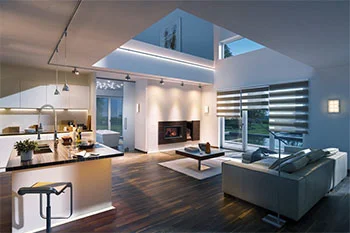
3Ds Max
Creative Design & Multimedia Institute Provide a Best 3Ds Max training 3D Design And 3D Modeling Current Standard. It is a Good Opportunity for all to learn 3D Designing, Model, and Animation. Learn 3ds Max from the Leading 3ds Max Training Institute in Surat What is 3ds Max? 3Ds Max is a computer graphics software for creating 3D models, animations, and digital images. 3Ds Max is one of the most popular programs in the computer graphics industry and is well known for having a robust toolset for 3D artists. 3DS Max uses game developers, and architects, 3ds Max is owned by Autodesk, the same company responsible for programs like Maya and AutoCAD. 3ds Max is mostly used for character modeling and animation as well as for rendering photorealistic images of buildings and other objects. When it comes to 3D Modelling 3ds Max is unmatched in speed and simplicity. As one of the most widely used 3D packages in the world, 3ds Max is an integral part of many professional studios and makes up a significant portion of their production pipeline for games and movies. What 3ds Max Do? 3ds Max is used in the game design for creating 3D models, character, game assets, and animations. With a useful job flow and powerful modelling tools 3ds Max can save game artists a significant amount of time. 3Ds max software is famous for TV commercials and film special effects, 3ds Max is often used to generate graphics for use alongside live-action work. 3Ds max Course fits into the simulation pipeline at nearly every stage. 3Ds max use to create character modeling, lighting, and rendering. Almost industries use 3ds Max for generating graphics that are mechanical or even organic in nature. The manufacturing, educational, and medical industries all make use of 3ds Max for visualization needs as well. The architectural and real estate industries use 3ds Max to generate photorealistic images of buildings in the design phase. This way customer can visualize their living spaces accurately and offer critiques based on real models. In 3ds Max Training you can create polygon and poly modeling which is a common technique in game design. Polygon modeling artists have a high degree of control over individual polygons which gives them a greater range of detail and precision in their work. After completing the 3D max Course you can generate the materials and textures necessary to really bring things to life. Adding color, gradients, and textures will lead to higher quality renders and game assets. There are several rendering options available in learning 3Ds max course. Skilled 3D artists will be able to create photorealistic images using techniques designed to mimic nature. 3ds Max is also capable of ton shading and other stylized techniques popular in video games. Max can create realistic simulations of fluids such as smoke and water, both of which are used frequently in the entertainment industry. Rigid body physics in 3ds Max allows for the simulation of hard bodies such as rock and wood. These simulation tools create shatter effects and rag-doll physics in ways that other software can’t handle. Highly modify particle effects system, these features can generate impressive photorealistic images and animations from scratch. For creating character models, 3ds Max provides simulations for hair, skin, clothes, and fur. The several plugins available online reduce the development time for these types of models. 3Ds max its own scripting language, flexible plugin architecture, and customizable user interface, 3ds Max can be personalized to fit the needs of any 3D work. Who learn the 3D Max? 3ds Max tool is use to architectural designers and game asset artists the most. 3ds Max has everything necessary for professional work. 3Ds max Software is used by professional animators working on big budget films, indie films, or even smaller commercial spots that need some 3D motion. Simulation in 3ds Max revolves around keyframing bone properties, making it easy to create complex and organic motion. 3ds max class comes with two subsystems for animating character models: CAT and character studio. Each is fully customizable with a wide variety of applications. Both are compatible with motion-capture file formats too. And together they provide a powerful means of animating complex and detailed scenes. 3ds Max is much compared to Maya among those in the creative industry. Instant Maya is generally more powerful in most areas, 3ds Max is easier to use and often more forgiving. This is especially true in the modeling department. 3ds Max Software is considered supreme due to its highly capable toolset that almost anyone could learn with a bit of practice. 3ds Max software is easier to learn than most other 3D graphic packages, it is commonly used to teach 3D art to beginners. Creative Design and Multimedia Institute ensure 100% job placement after the completion of a course.
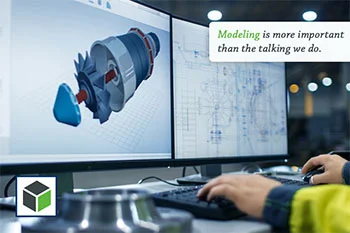
Creo Parametrics 2.0
Creo Training in Surat - Creo Course Training Institute in Surat Creative Design and Multimedia institute offers the best creo classes in Surat. Creo is a standard in 3D CAD software. Creo Parametric is the standard in 3D CAD programming. It gives the broadest scope of incredible yet adaptable 3D CAD abilities to quicken the structure of parts and congregations. It provides all the features to accelerate the design parts and assemblies. It is a very powerful tool for design and assembly. It is a kind of artwork in software that maintains your industry standards and promotes your business. You can find very few institutes providing creo parametric 2.0 training in Surat. Creative Design and Multimedia offers the best outcome. In parametric 2.0 you just need to create a drawing file and draw the desired design. We are gifted with a group of professional trainers who will professionally guide you. They are excellent at creating creo parametric. Which is the Best Class for Creo Course Training in Surat? Creative Design and Multimedia Institute is the right place to build your career in creo parametric. We help you from scratch itself. The course starts by building a base in a student’s mind. CDMI is the right place to build your carrier. Live Project Training in Creo Training Institute in Surat During the training, we provide the opportunity to work in a live project so that they can gain hands-on experience. What we teach is not fruitful until you perform it practically. So we guide you to build your design uniquely. We believe that students can learn something deeper until and unless they get practical knowledge and that we provide from our institute rather than any other institutes in Surat. Creative designs Compared to other creo parametric classes in Surat we provide the best training. We provide various lab assignments along with training so that students can gain hands-on experience in this field. After the course completion, you will receive a certificate from our institute. We guide you throughout your practice sessions. We provide high-tech classes for students. Students can feel the right professional industrial atmosphere from Creative Design and Multimedia Institute. Our main aim is to build your career in a better way and should be creative than anyone. Creative Design and Multimedia Institute have profoundly aptitude proficient and rational teachers who are constantly prepared to support understudies and fathom their inquiry identified with lovely structure. Get Trained by Professional Trainers at Creo Training Institute in Surat


RECENT BLOGS
-

How to Boost Flutter App Performance: Tips and Tricks
27th-Dec-2024



Around World
I learned Web Development at creative multimedia, the fundamentals were covered before advanced concepts. The mentor and support staff cleared all my doubts.